How do I message other members?
You can message other members of The Rookies with the Contact me button on their profile. Your message arrives in their inbox by email, and they can reply to you directly.
Sending a message
- Log in to your account. Messaging is for members only, and it's free.
- Go to the member's profile and click Contact me. You'll only see the button if that member has chosen to receive messages.
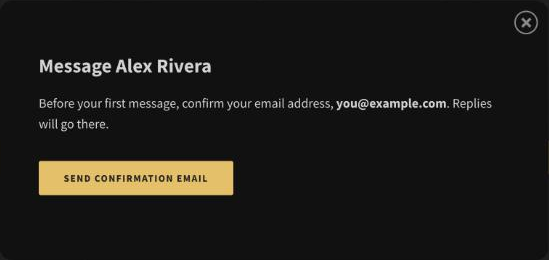
- Before your first message, click Send Confirmation Email, then click Confirm email in the email we send you. You only need to do this once.
- Write your message and click Send Message.
When the member replies, their reply comes straight to your inbox.
What you can send
- Plain text, up to 1,000 characters.
- No links, to keep members safe from spam and scams.
- Up to 5 messages a day.
- One message to the same member each week.
Receiving messages
Messages come to the email address on your account. To answer, just reply to the email. The sender doesn't see your email address unless you reply.
Every message also has links to:
- Block the sender, so they can't message you again.
- Report the message if it's spam or inappropriate. We'll review it, and the sender won't be able to message you again.
- Stop all messages, which removes the Contact me button from your profile.
Turning messages on or off
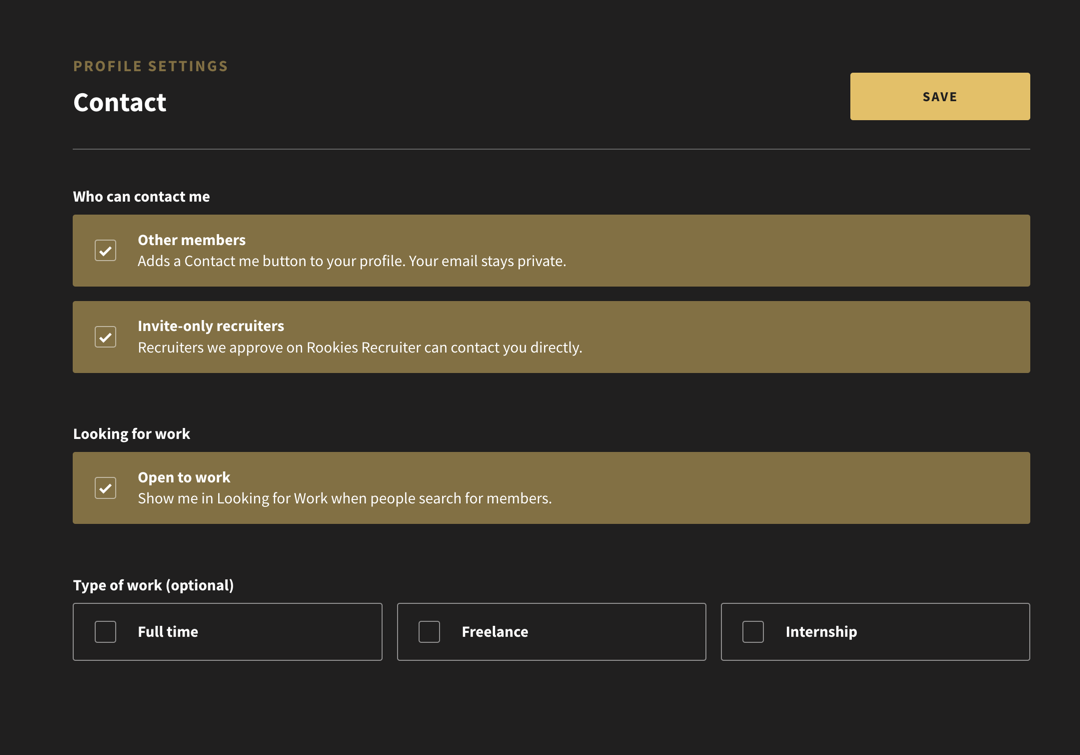
- Go to Settings, Contact.
- Tick or untick Other members.
- Click Save.
You can also unblock members on the same page.